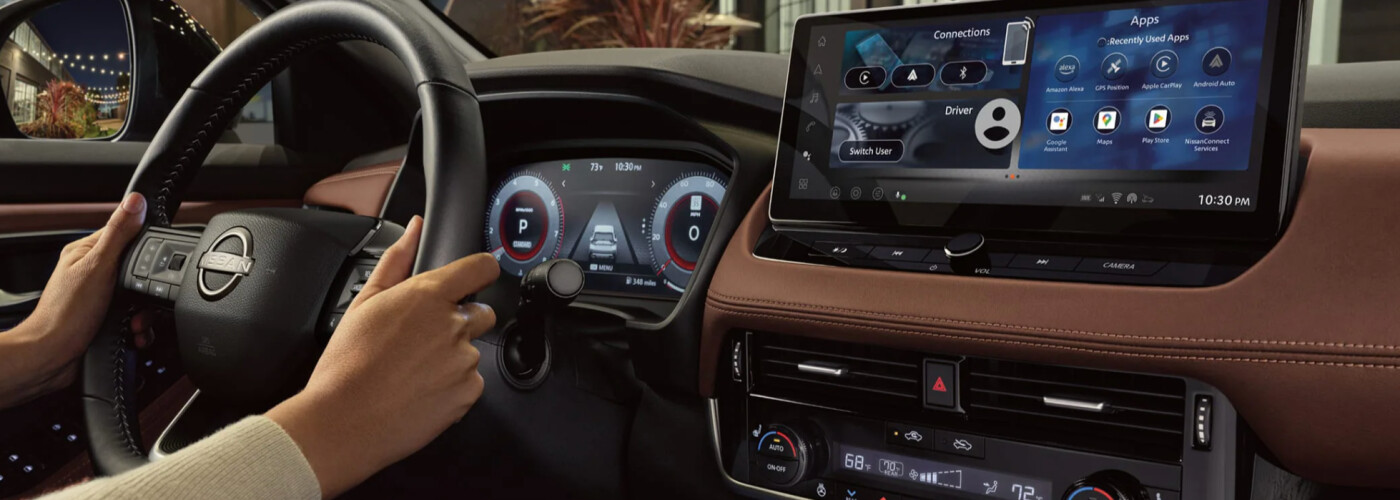
Whether you’re driving a new Nissan or a certified pre-owned vehicle from Tanner Nissan, you’ll want to know two crucial pieces of information: How to use the Nissan navigation system and how to update your Nissan navigation system. The Nissan Navigation feature helps you get directions and access detailed traffic updates, making your Nisswa driving more efficient than ever. To fully benefit from these features, you can update your system with various upgrade options, but you don’t have to guess how to update your Nissan navigation system. Learn how to get your Nissan navigation update with the experts at Tanner Nissan.
If you’re looking to update your Nissan navigation system, the process will vary depending on your specific Nissan. The best way to start is to download the Map Update Tool for your specific model through this Nissan guide. You can use the Map Update Tool application to add, remove, or update the locations saved in your navigation system via a USB stick. Look out for a pop-up window that notifies you of available updates for purchase, as well as a list of already installed updates to your system.
Once you have downloaded the Map Update tool to your Mac or PC, follow these steps to update a map in your Nissan navigation system:
Is your new Nissan equipped with NissanConnect®? Then you’ll likely be eligible for over-the-air Nissan navigation updates! Learn how to use the Nissan navigation system in your vehicle to receive the latest maps for your Bemidji drives:
Are you ready to enhance your drives through Brainerd? If you have additional questions about how to use the Nissan navigation system or Nissan navigation update steps, Tanner Nissan is here to assist. Reach out to us online or by 218-829-3597 today to make the most of your Nissan!
When you’re craving a compact sedan with agile performance and a premium feel, it’s hard to beat the new Nissan Sentra. Offering even more available connectivity and convenience features for the new model year, the 2025 Nissan Sentra takes all your Nisswa drives to the next level. Learn more about what you can expect…
When drivers search for their next affordable SUV, many turn to the Nissan Kicks. Designed to pack exceptional comfort in a compact package, the 2025 Nissan Kicks interior makes use of every inch of space to ensure you and your passengers enjoy your rides through Nisswa. Learn more about the Nissan Kicks interior dimensions…
The Nissan Kicks trims include the S, SV, and Nissan Kicks SR. If you’re shopping for Nissan Kicks models near Nisswa, you’ll want to familiarize yourself with their differences in terms of pricing and features. Take a close look at the differences between each of the 2025 Nissan Kicks trim levels with Tanner Nissan. Then,…